Email and desktop notifications
 Zoom image
Your Inbox showed what happened in your workspace, but only while Attia was open. A candidate's reply or a mention from a colleague waited there until you came back.
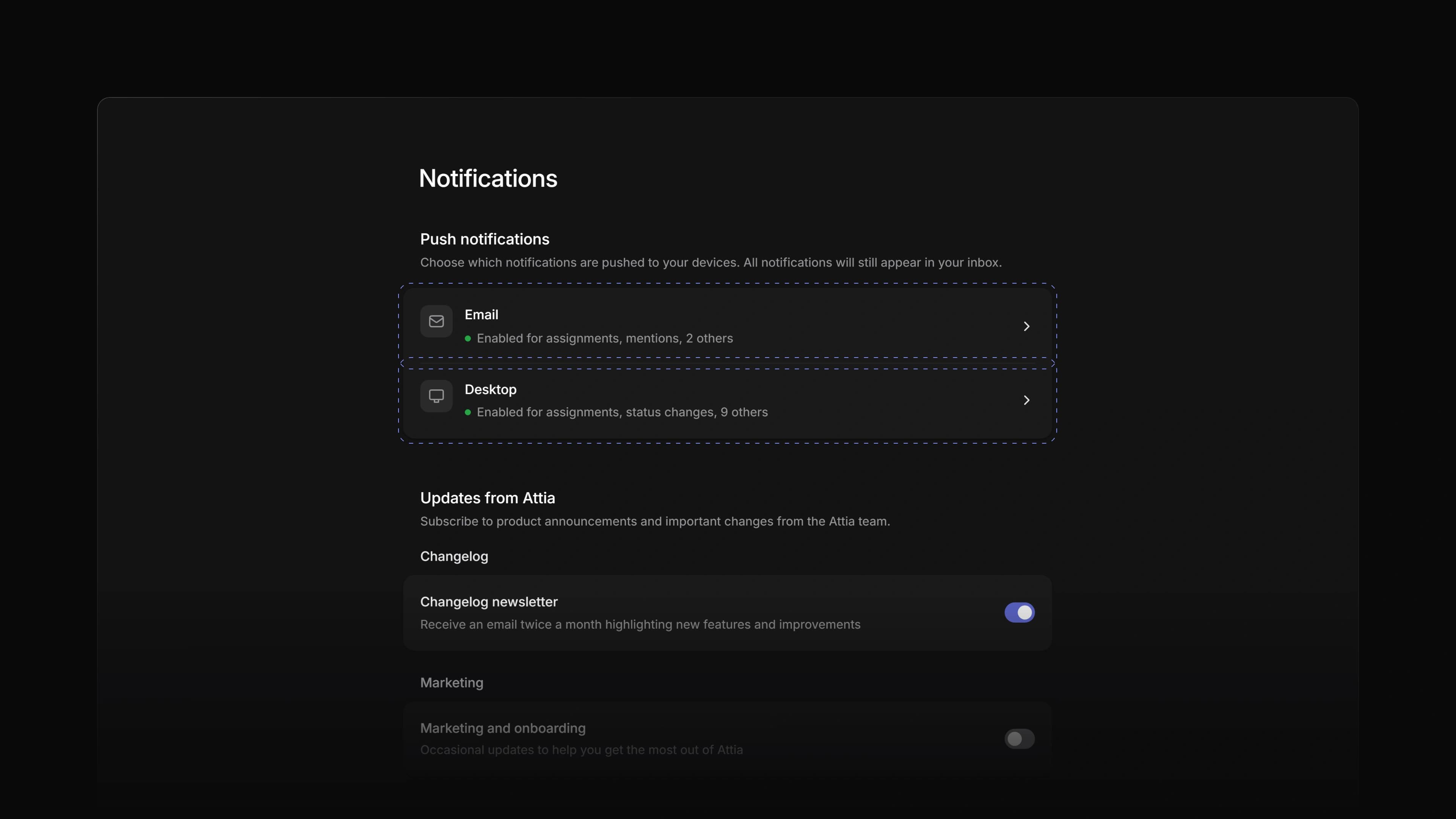
Now Attia tells you by email and on your computer. Settings > Notifications has an Email page and a Desktop page, and both list the same categories, from Assignments and Mentions to Candidate replies, each with its own switch. Email starts on for assignments, mentions, candidate replies, and reminders and deadlines. Desktop starts on for all of them.
When a candidate answers your message, you get an email about five minutes later, unless you have already read the reply in Attia. To start, open Settings, choose Notifications, then Email or Desktop.
Email timing
Mentions, candidate replies, and reminders and deadlines are emailed after five minutes. Every other category waits an hour, so a busy morning sends you fewer emails.
Digest or one email each
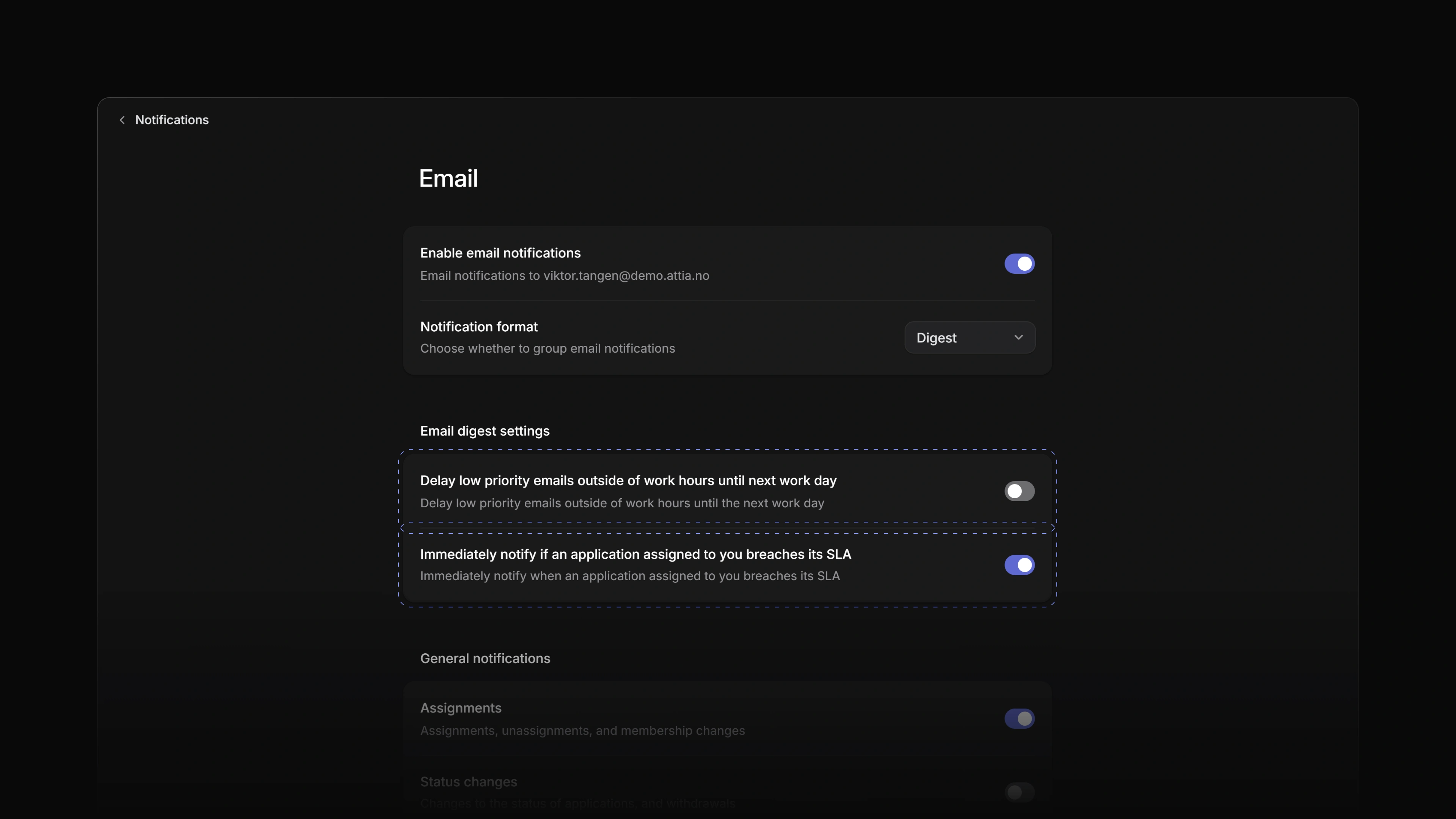
Notification format is Digest unless you change it. One email then holds every unread notification that is due, with a subject such as 5 unread notifications in Attia. Choose Individual to get one email per notification.
Work hours and SLAs
Under Email digest settings, turn on Delay low priority emails outside of work hours, and the emails that wait an hour are held until your workspace's next working day starts. The switch under it is on unless you turn it off, and emails you at once when an application assigned to you breaches its SLA.
 Zoom image
One-click unsubscribe
Every notification email ends with Unsubscribe from these emails, and the unsubscribe button in your mail app works too. From an email about one category, it turns off email for that category. From a digest that mixes categories, it turns off all notification email.
Desktop alerts
On the Desktop page, choose Allow notifications and your browser asks you once. Each new unread notification in a category you left on then shows as an alert on your computer. A click opens the job, candidate or application it is about, or the Inbox when alerts for a closed Attia are off. When Attia is installed as an app, its icon shows how many notifications you have not read.
Alerts when Attia is closed
Alerts reach you with every Attia tab closed too. When they are off in the browser you use, the Desktop page says so and offers Turn on. On an iPhone or iPad, add Attia to your Home Screen first.
Subscribe to a job
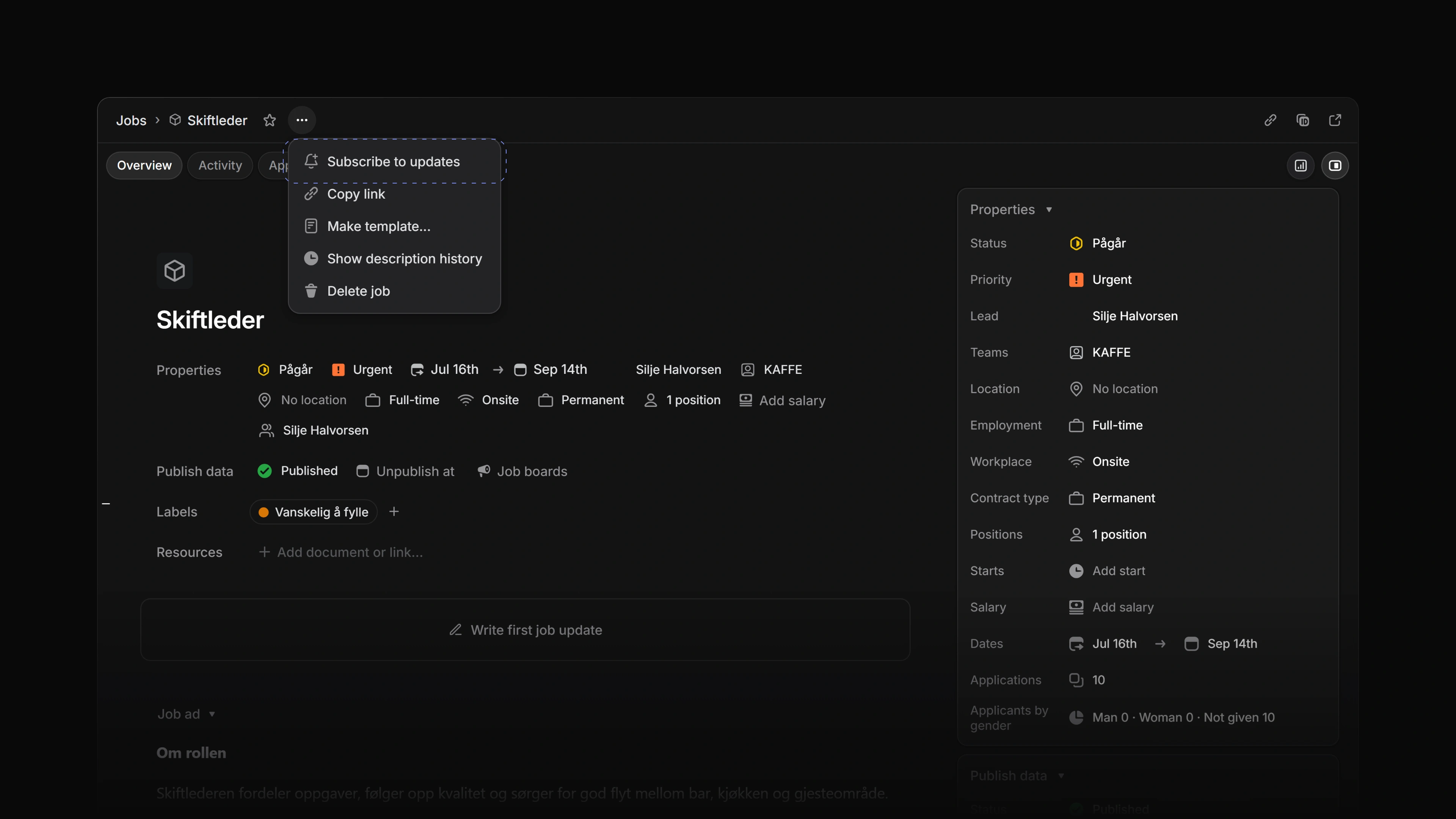
The menu next to a job's name now has Subscribe to updates. The job's notifications then reach your Inbox, and from there your email and your desktop. Unsubscribe from updates in the same menu stops them.
 Zoom image
- Notifications Added the Updates from Attia card to Settings > Notifications, with switches for the changelog newsletter and for marketing and onboarding email.
- Agent Added reading your Inbox and setting reminders to Attia Agent.
- Agent Added Word, Excel, PowerPoint and text files to what Attia Agent can read. It can attach a PDF from the chat as a candidate's profile PDF.
- Agent Added writing candidate notes and changing a candidate's picture to Attia Agent.
- Agent Added more application work to Attia Agent: removing and restoring a file, adding and removing links, setting the SLA and the review value, and sending the candidate a message once you approve it.
- Agent Changed Attia Agent to count and filter applications by label and rating, to move or label many with one approval, and to add existing candidates to a job.
- Agent Added switching a Loop on or off and running it now to Attia Agent.
- Agent Added creating a team document, also from a template, to Attia Agent. It edits formatted documents and keeps their headings.
- Agent Changed Attia Agent to find a document by its title and link to it. A document it creates shows in the chat as a card that opens the preview.
- Agent Added career site page work to Attia Agent: it duplicates, reorders, renames and deletes pages, adds a page from a template, edits the menu, puts an image from the chat on a page and translates the site into each of its languages. It can also read a website's logo, colours and fonts.
- Applications Changed an application's Activity to show a status change the moment you make it.
- Billing Added a 14-day Business trial with no card to every new workspace. Admins get one email three days before it ends, and Attia Agent has the Basic plan's limits during the trial.
- Billing Changed the plan limits to count candidates. Basic holds 2,000.
- Loops Added Use AI to determine optimal answer as a value in a Loop.
- Loops Changed a Loop to make routine changes to a candidate without an approval card.
- Views Changed a dropped card on a board to glide into place, and a touch hold on a card to show the press.
- Members Changed the Members page so an owner can remove a member or hand over ownership from both lists. Role is now a dropdown.
- Workspace Changed Create workspace to switch the page and your account to the language you pick.
- Workspace Changed sign-up to ask for your teammates before the step about referrals.
- Workspace Added a spinner to the workspace button while Attia updates your data.
- Accessibility Changed dialogs, menus, panels and the phone drawer to fade in place when your device is set to reduce motion.
- Performance Changed the command menu, the peek you open with
Space, and the panel you open withCmdI, orCtrlIon Windows, to open and close faster. - Performance Changed the Jobs list to show at once on a repeat visit, and to load less than half as much.
- Performance Changed long tables to draw only the rows on screen, so they open and respond faster.
- Performance Changed Save view and Duplicate on the lists to show the new view the moment you click.
- Performance Changed Undo after you delete an Inbox notification to bring it back the moment you press it.
- Workspace Changed the next tooltip along a toolbar to open at once.
- Inbox Fixed a reminder you set on a job, a candidate or an application not showing in the Inbox. It now shows as Reminder: and your text.
- Inbox Fixed notifications about a job or an application in the trash staying in the Inbox. They come back if you restore it.
- Agent Fixed the Agent page header not showing a chat's title after its first message.
- Agent Fixed queued follow-ups in Attia Agent scrolling out of view. They now sit above the message box.
- Agent Fixed Attia Agent taking an image it could not read. The message box now refuses it.
- Applications Fixed the assignee picker offering members who could not open the application.
- Authentication Fixed the card that says there is no account for an email not showing again after a sign-in code.
- Billing Fixed plan buttons squeezing together when two did not fit side by side. They now stack.
- Documents Fixed a blank document's title starting with text in it.
- Documents Fixed Escape in the title or the text of a new document not closing its window.
- Keyboard shortcuts Fixed browser autofill setting off keyboard shortcuts.
- Members Fixed an admin being able to change the owner, or to take ownership through a role change.
- Members Fixed a guest invitation turning an existing member into a guest. A removed member who rejoins on a guest invitation comes back as a guest.
- Settings Fixed a new profile picture not showing in Attia right after the upload.
- Templates Fixed the template editor opening an older save, two saves at the same time losing fields, and a copy renamed right away reopening with the old name.
- Views Fixed a saved view that could not be created leaving no way back to it. The notice now offers Reopen.
- Views Fixed the tab of a deleted saved view staying in the tab row, and the selected tab scrolling out of view.
- Views Fixed a newest-first sort putting rows with no value at the top. They now go to the bottom.
- Views Fixed a list going blank when one cell failed to draw. The error now shows inside the list.
- Views Fixed a cell with several values not counting them in your language.
- Views Fixed a tap outside a touch-hold menu on a list row or a board card not closing it, and a touch hold on a board card not starting a drag.
- Workspace Fixed a collapsed sidebar opened by pointing at it closing when you went to Agent and back.
- Workspace Fixed long titles, emails and names being hard to read on board cards and in the workspace switcher.
- Workspace Fixed the hover and active colours of sidebar rows, board cards and group headers in the light theme.